Huss Huss Huss AI Video Generator

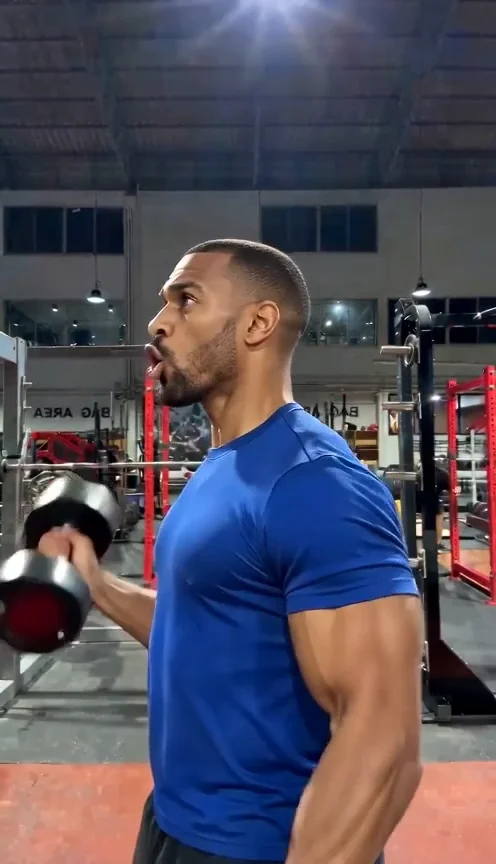
A 15-second vertical gym clip, with the narration already in the file, replaces the Gym performer in the blue shirt with one photo. He faces the camera with the dumbbells low, turns sideways to curl one dumbbell, then faces the camera again for the hand gestures. Start as a guest with one photo. Generating a video uses credits.

Role positions for In This Town Gym Curl

Make your Huss Huss Huss AI video

0 of 1 photos added
Scene
Resolution

Opening payment…

  • One Gym performer slot

    The scene holds one photo. An empty slot keeps the man in the blue shirt.

  • 15 seconds with narration

    The gym clip runs 15 seconds and already includes its spoken track.

  • Quote before you generate

    The credit charge for this scene and the resolution you select is shown before a run. There is no free watermarked preview.

Finished examples

Huss Huss Huss AI video showcase

See how each scene looks with different casts. Videos play muted until you turn on sound.

  • Blue shirt, side curl with the dumbbell at the shoulder

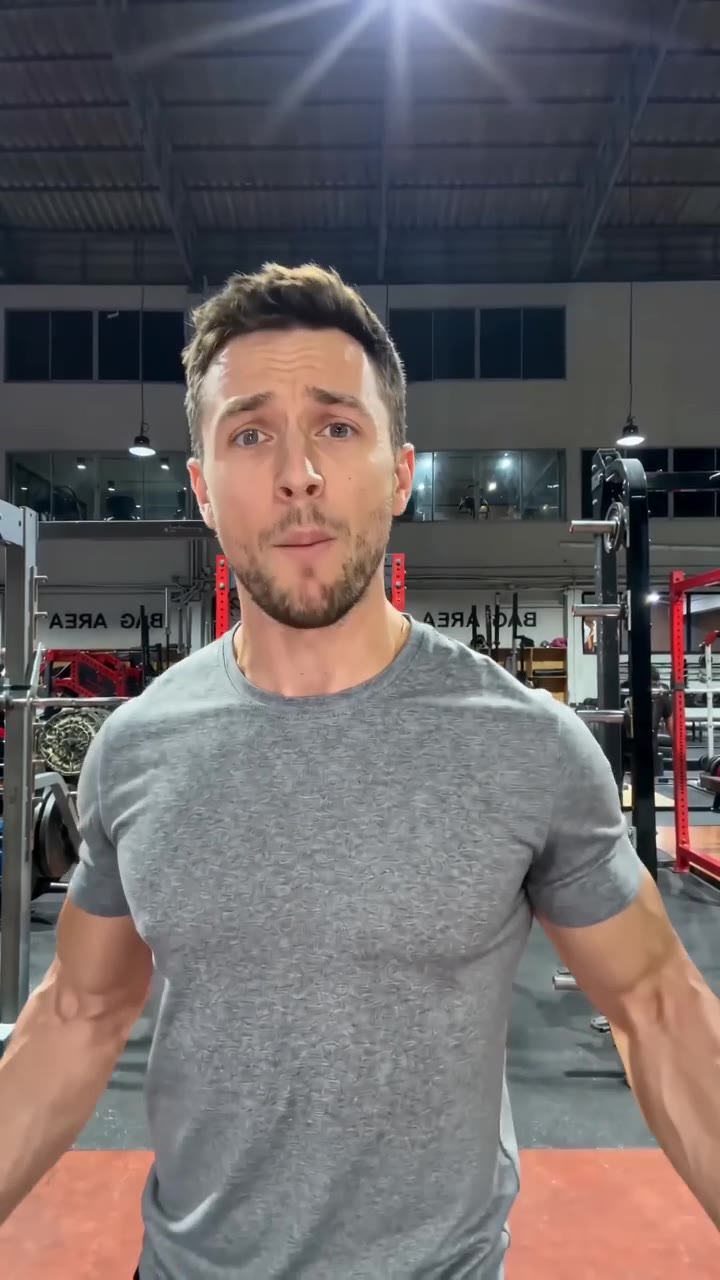
  • Grey shirt, mouth open toward the camera in the gym

  • Black shirt and white earbuds, hand raised after the curl

  • Long brown hair and a black shirt, both hands up

  • Navy shirt, wide-open mouth, then a side curl and a point

Input and sample

Huss Huss Huss AI before and after

See the input photos alongside a frame from a Huss Huss Huss AI video.

Input photosSample frame
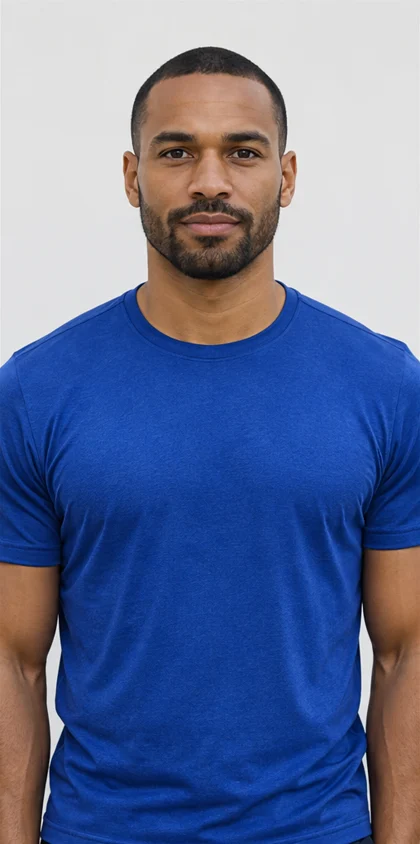
Front-facing portrait of a man with a short beard in a blue crew-neck T-shirt against a plain light background.
15-second gym curl in a blue shirt

Drag the divider to give either side more room.

Huss Huss Huss AI video examples

Watch published reference clips and explore the scene setup.

Cast example

Blue shirt portrait in the gym curl

A plain-background portrait of a man in a blue T-shirt is paired with the 15-second gym clip. In the clip he wears a blue T-shirt, faces the camera, curls a dumbbell in profile, and later gestures with empty hands. This clip is the scene the generator uses.

Input photos
Front-facing portrait of a man with a short beard in a blue crew-neck T-shirt against a plain light background.
Cast example

Grey shirt portrait in the same gym

A smiling man in a grey T-shirt, photographed indoors beside a window, is paired with a gym clip of about 15 seconds. In the clip he wears a grey T-shirt, faces the camera with his mouth open, curls a dumbbell in profile, and is still talking to the camera at the end.

Input photos
Smiling man in a grey T-shirt, facing the camera in a bright living room.

Example clip

The workflow

How to make a Huss Huss Huss AI video

Pick the named gym scene, add a photo for the Gym performer you want to replace, and generate with the credit quote on screen. Guests can download the finished file from the video page.

  1. Choose In This Town Gym Curl

    Open the only scene. It is a 15-second vertical gym clip with one Gym performer slot.

  2. Add a photo for Gym performer

    Upload one clear front-facing portrait, or a clear front-facing pet photo. Leave the slot empty only if you want to keep the man in the blue shirt.

  3. Generate with the credit quote

    Choose 480p, 720p, or 1080p. The quote follows that choice and this scene. There is no free watermarked preview render.

  4. Download the finished video

    Guests can download from the video page. Sign in from the site dialog if you want the video saved to /my-videos.

Scene library

Pick a Huss Huss Huss AI scene

Watch a reference for each scene, then try its setup in the studio.

The scene library listed 1 scene as of .

1 photo

In This Town Gym Curl

A plain-background portrait of a man in a blue T-shirt is paired with the 15-second gym clip. In the clip he wears a blue T-shirt, faces the camera, curls a dumbbell in profile, and later gestures with empty hands. This clip is the scene the generator uses.

Front-facing portrait of a man with a short beard in a blue crew-neck T-shirt against a plain light background.
Make it yours

Ideas for Huss Huss Huss AI videos

Choose a scene based on the kind of shot you want.

Photo checklist

Photos for your Huss Huss Huss AI video

See which photos work best for a Huss Huss Huss AI scene.

The studio currently accepts JPG, PNG, WebP or HEIC up to 20 MB per photo.

Front-facing portrait of a man with a short beard in a blue crew-neck T-shirt against a plain light background.
UseUse a sharp, front-facing photo of one person from the chest up, in even light, with the face unobstructed. JPG, PNG, WebP, and HEIC files up to 20 MB are accepted, and iPhone HEIC is converted automatically. A clear front-facing pet photo is allowed and is best-effort.
AvoidSkip group shots, sunglasses, heavy filters, and photos where the face is in profile or cut off. You do not need a gym, a dumbbell, or workout clothes in the picture. The gym and the weights stay in the clip.
Studio details

Use Huss Huss Huss AI in your browser

Open the studio on a phone or computer without installing an app.

Scene length
15 seconds
Details about Scene lengthIn This Town Gym Curl follows the full 15-second gym take, including the side curl and the later hand gestures.
Photo slots
1Solo capacity is one Gym performer photo. There is no second person to cast.
Sound
In the file
Details about SoundThe scene file already has an audio track. The edit keeps that narration in sync. You do not attach a separate soundtrack here.
Credits
One-time packs
Details about CreditsPay-as-you-go packs add credits. There is no recurring subscription and no free watermarked preview.
Open the studio

Huss Huss Huss AI video pricing

See the price of one Huss Huss Huss AI video at each resolution and view credit packs.

Published rates as of start at $9.98 USD per video before tax. The studio shows the current rate and availability. See full pricing.

Prices by scene and resolution

These prices were recorded on . The generator shows the current charge.

SceneResolutionCreditsVideo price (USD)
In This Town Gym Curl480p998$9.98
In This Town Gym Curl720p1,298$12.98
In This Town Gym Curl1080p2,498$24.98
In This Town Gym Curl4K3,998$39.98

Credit pack prices

These USD subtotals were recorded on . Checkout shows current availability and the final charge, including applicable tax.

PackCreditsPrice (USD)
Starter1,996$19.96
Creator4,990$44.98
Studio9,980$69.98
Pro19,960$119.98
Loading current pricing…
The format

What is Huss Huss Huss AI?

Huss Huss Huss AI on this site is the solo gym lip-sync: one person faces the camera, turns sideways, and curls a dumbbell while the narration plays.

Read more

In This Town Gym Curl is one continuous 15-second vertical take in a bright gym with a red floor and weight racks. At the open he faces the camera in a blue T-shirt with a dumbbell low in each hand. Around the 3-second frame he is in profile, curling one dumbbell up beside his shoulder. By 5 seconds he faces the camera again and points, then keeps gesturing with empty hands through the end of the file. One photo replaces that Gym performer. The gym, the dumbbells, the camera, and the narration stay with the clip. This site does not offer a car lip-sync, a dance, or a basketball story.

The preview performer is the man in the blue shirt. Your upload replaces him. An empty slot leaves him in the clip.Watch the reference clips
Help

Huss Huss Huss AI video FAQ

Find answers about photos, pricing, and making a Huss Huss Huss AI video.

Is this the gym curl, or a different Huss scene?

This site only offers the gym curl, named In This Town Gym Curl. It is a 15-second solo clip of one person facing the camera, curling a dumbbell, and gesturing. A car lip-sync, a dance, and a basketball story are not scenes here.

Do I add the sound myself?

No. The 15-second gym file already includes its narration, and the edit keeps that soundtrack in sync. This studio does not ask you to attach a separate audio track, and it does not offer custom audio.

What photos can I upload?

Upload a JPG, PNG, WebP, or HEIC image up to 20 MB. iPhone HEIC is converted automatically. A clear front-facing human portrait works best. A clear front-facing pet photo is also allowed and is best-effort. For this scene, use one portrait in the Gym performer slot rather than a group photo.

Can I do this in a phone browser?

Yes. You use the site in the browser, including an iPhone photo saved as HEIC. There is no separate app to install for the upload.

What are credits for?

Credits pay for a generation. You spend the quoted amount for the scene and resolution you select when you start a run.

How does a purchase add credits?

A completed purchase adds that pack’s credits to your balance when checkout is available. Pack sizes and prices stay on the live catalog, not on this page.

What changes the credit charge?

The selected scene and the resolution determine the charge. In This Town Gym Curl is the 15-second gym scene, and the choices are 480p, 720p, and 1080p. The generator shows the quote before you generate.

Is there a free preview or a subscription?

No. There is no free watermarked preview render, and there is no recurring subscription. Credits are pay-as-you-go one-time packs, and a generation spends the quote you see first.

Do I get credits back if the video fails?

If the service stops a request before submission, or the provider rejects it, the deducted credits are returned. After the provider accepts the request, the generation stays charged if it fails or the video cannot be delivered.

Can I generate as a guest?

Yes. Guests can create and download a video without an account. Signing in is optional and uses the sign-in dialog on this site. Saved videos are listed at /my-videos.

How do I save a video to an account?

Open the sign-in dialog and use the email and password form. It continues into an existing account or creates a new one, and the saved videos appear at /my-videos.

How do I delete a video or a photo?

Use Delete video on the video page or in /my-videos. That removes the output, turns off shares, and deletes source uploads that no other video still uses. You can also email support@husshusshuss.video. Files older than 30 days may be removed during manual storage cleanups.

What happens to my credits if a generation fails?

If a video generation fails or is rejected before delivery, your deducted credits are automatically returned to your balance (for billing questions, email support@husshusshuss.video).
Huss Huss Huss AI video guides

Read practical guides for choosing photos, setting up a scene, and sharing a Huss Huss Huss AI video.

Sign in